

 Talk to Us!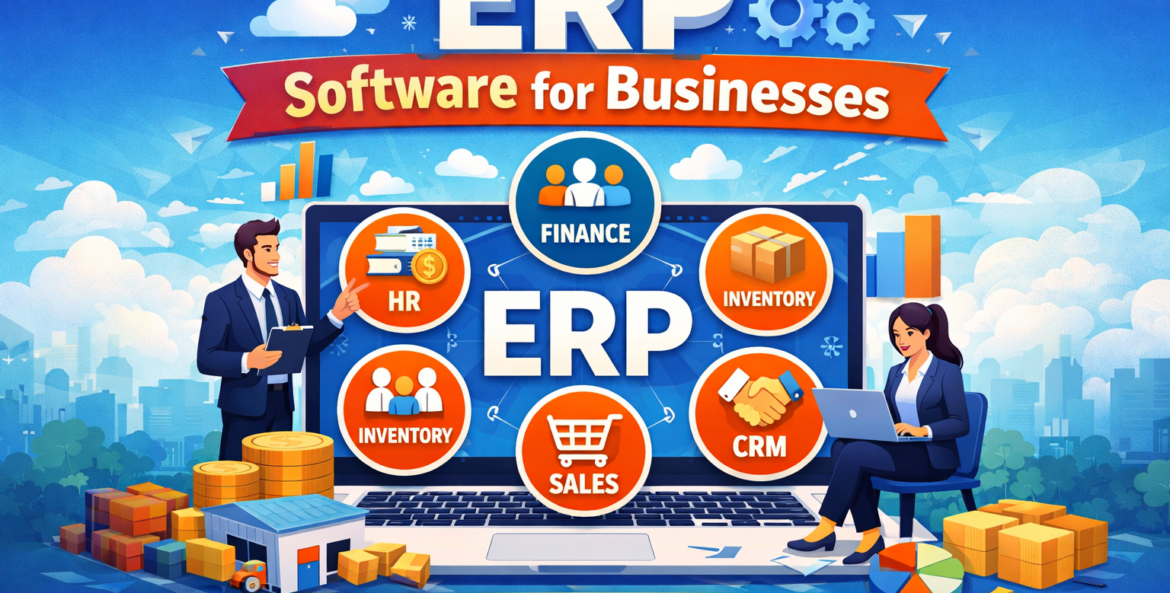
In today’s fast-paced digital world, managing business operations manually or through disconnected systems can slow down growth and lead to costly errors. That’s where ERP software comes in. If you’re planning to buy ERP software for your business, understanding how it works and the value it offers is essential before making a decision.
Enterprise Resource Planning (ERP) software integrates all your business processes into a single unified system—helping you streamline operations, improve productivity, and make data-driven decisions.
What is ERP Software?
ERP (Enterprise Resource Planning) software is a centralized system that connects various business functions like finance, inventory, human resources, sales, and customer management.
Instead of using multiple tools, ERP allows businesses to:
-
Store data in one place
-
Automate workflows
-
Improve collaboration across departments
Simply put, ERP acts as the backbone of your business operations.
Why Businesses Need ERP Software
Modern businesses generate a huge amount of data daily. Without a proper system, managing this data becomes chaotic.
Here’s why companies choose to buy ERP software for their business:
-
Eliminates data silos
-
Improves operational efficiency
-
Provides real-time insights
-
Enhances decision-making
-
Reduces manual errors
Whether you’re a startup or an established enterprise, ERP helps scale operations seamlessly.
Key Features of ERP Software
When you plan to buy ERP software, it’s important to understand its core features:
1. Financial Management
-
Tracks income, expenses, and cash flow
-
Automates accounting processes
-
Generates financial reports
2. Inventory Management
-
Real-time stock tracking
-
Demand forecasting
-
Warehouse management
3. Human Resource Management (HRM)
-
Employee data management
-
Payroll automation
-
Attendance tracking
4. Customer Relationship Management (CRM)
-
Lead and sales tracking
-
Customer data management
-
Improved customer engagement
5. Supply Chain Management
-
Vendor management
-
Order tracking
-
Logistics optimization
6. Reporting & Analytics
-
Custom dashboards
-
Real-time reporting
-
Data-driven insights
Top Benefits of ERP Systems
Investing in ERP software brings multiple advantages:
✅ Improved Efficiency
Automation reduces manual work and speeds up processes.
✅ Better Decision Making
Real-time data helps businesses make informed decisions quickly.
✅ Cost Savings
Reduces operational costs by minimizing errors and redundancies.
✅ Scalability
ERP grows with your business, supporting expansion.
✅ Enhanced Collaboration
All departments work on a unified platform.
ERP Use Cases Across Industries
ERP systems are versatile and used across multiple industries:
🏭 Manufacturing
-
Production planning
-
Inventory control
-
Quality management
🛍️ Retail
-
Stock management
-
Sales tracking
-
Customer insights
🏥 Healthcare
-
Patient data management
-
Billing and compliance
-
Appointment scheduling
🏗️ Construction
-
Project management
-
Resource allocation
-
Budget tracking
📦 E-commerce
-
Order management
-
Inventory sync
-
Customer analytics
Cloud ERP vs On-Premise ERP
Choosing the right deployment model is crucial when you buy ERP software for your business.
☁️ Cloud ERP
-
Hosted online
-
Lower upfront cost
-
Accessible from anywhere
-
Automatic updates
🖥️ On-Premise ERP
-
Installed locally
-
Higher upfront investment
-
More control over data
-
Requires IT maintenance
👉 Recommendation: Most modern businesses prefer cloud ERP due to flexibility and cost-effectiveness.
How to Choose the Right ERP Software
Selecting the right ERP system can be challenging. Follow these steps:
1. Identify Business Needs
Understand your requirements and pain points.
2. Set a Budget
Consider implementation and maintenance costs.
3. Check Features
Ensure the ERP covers all critical business functions.
4. Scalability
Choose software that can grow with your business.
5. User-Friendliness
Simple interface ensures easy adoption.
6. Vendor Support
Reliable customer support is essential.
ERP Implementation Process (Step-by-Step)
Implementing ERP software requires proper planning:
Step 1: Requirement Analysis
Define goals and business requirements.
Step 2: Vendor Selection
Choose the right ERP provider.
Step 3: System Design
Customize ERP according to business needs.
Step 4: Data Migration
Transfer existing data to the new system.
Step 5: Testing
Ensure everything works smoothly.
Step 6: Training
Train employees for effective usage.
Step 7: Go Live
Launch the ERP system.
Common Challenges and Solutions
❌ High Initial Cost
✔️ Solution: Opt for cloud-based ERP
❌ Resistance to Change
✔️ Solution: Provide proper training
❌ Implementation Complexity
✔️ Solution: Work with experienced vendors
❌ Data Migration Issues
✔️ Solution: Plan and test migration carefully
Future Trends in ERP
ERP systems are evolving rapidly with new technologies:
-
🤖 AI-powered automation
-
📊 Advanced data analytics
-
☁️ Increased cloud adoption
-
🔗 Integration with IoT
-
📱 Mobile-friendly ERP systems
These trends are making ERP more powerful and accessible for businesses of all sizes.
Why You Should Buy ERP Software for Your Business
If you want to stay competitive in today’s market, it’s time to buy ERP software for your business.
ERP helps you:
-
Streamline operations
-
Improve productivity
-
Make smarter decisions
-
Scale faster
👉 Investing in ERP is not just a tech upgrade—it’s a strategic business decision.
FAQs
1. What is the cost of ERP software?
The cost varies depending on features, users, and deployment type. Cloud ERP is generally more affordable.
2. Is ERP suitable for small businesses?
Yes, many ERP solutions are designed specifically for small and medium businesses.
3. How long does ERP implementation take?
It can take anywhere from a few weeks to several months depending on complexity.
4. What are the risks of ERP implementation?
Common risks include poor planning, lack of training, and data migration issues.
5. Can ERP software be customized?
Yes, most ERP systems offer customization based on business needs.
